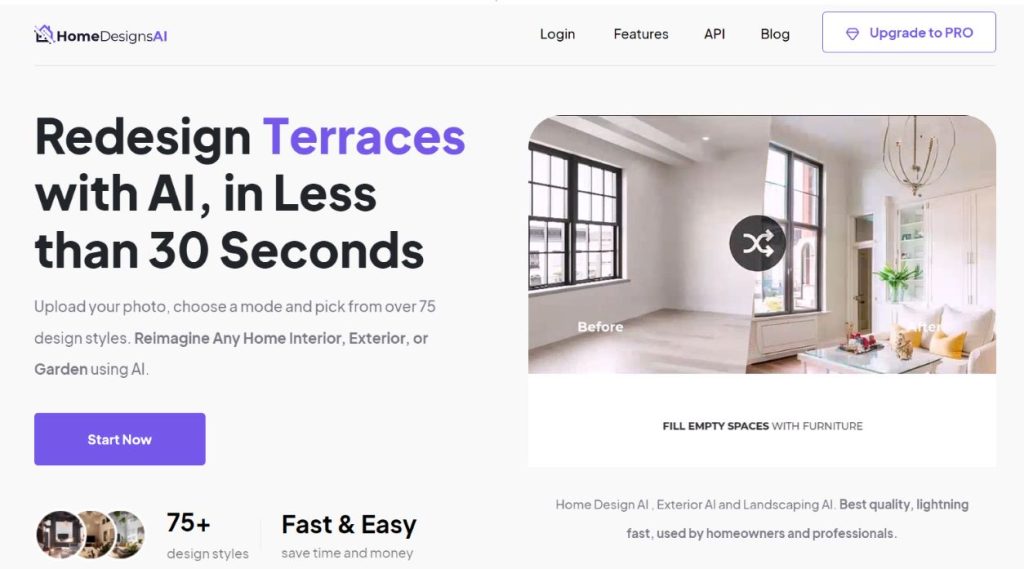
Homedesign AI for interior design

HomeDesignsAI is a cutting-edge, AI-powered platform that transforms home design, making it fast, easy, and accessible for everyone. From homeowners to professional designers, HomeDesignsAI allows users to redesign interiors, exteriors, and gardens in less than 30 seconds. The platform offers over 75 design styles, helping users reimagine any space with ease.

Key Features and Uses

AI-Powered Design:

Customization Tools:

Special Features:

Usage Scenarios:

Credits and Payments

HomeDesignsAI operates on a subscription-based model with different plans to cater to various needs:

  1. Individual Plan: – Price: $27 per month – Features: 100 designs per month, standard AI model, standard quality renders, access to 10+ room types and 15+ styles, 48 hours support, small watermark.
  2. Pro Plan: – Price: $29 per month – Features: Unlimited designs, newest AI model, higher quality renders, AI furniture removal, decor staging, colors & textures, sketch to render, AI object detection, AI furniture finder, access to 40+ room types and 75+ styles, commercial license, 24 hours support, no watermark.
  3. Pro Yearly Plan: – Price: $197 per year (saves $110) – Features: All Pro Plan features with additional benefits like full HD downloads and enhanced support.

Tools Available

  1. Prompt Builder: Helps craft effective text prompts for AI image generation.
  2. Style Library: Extensive collection of design styles to apply to creations.
  3. Enhancement Tools: Improve and refine generated images.
  4. Gallery Management: Organize and manage personal galleries of created artworks.
  5. Public and Private Galleries: Share designs publicly or keep them private for personal use.

Additional Details

How to Use HomeDesignsAI: A Step-by-Step Guide

Who Can Use HomeDesignsAI?

  1. Homeowners: Ideal for anyone looking to redesign or redecorate their home.
  2. Interior Designers and Decorators: Professionals seeking to visualize and experiment with different styles quickly.
  3. Real Estate Agents: Enhance property listings with virtual staging to attract more clients.
  4. Architects and Builders: Showcase design ideas and gather client feedback efficiently.
  5. Landscapers and Gardeners: Create landscaping proposals and visualize garden designs.
  6. Businesses and Online Communities: Generate engaging content and design ideas for home-related websites or groups.

Basic Requirements

  1. Device: A PC, laptop, tablet, or smartphone with internet access.
  2. Browser: Any modern web browser such as Google Chrome, Firefox, Safari, or Edge.
  3. Account: Sign up for an account on the HomeDesignsAI website.
  4. Subscription Plan: Choose a plan that fits your needs (Individual, Pro, or Pro Yearly).
  5. Images: Photos of the spaces you want to redesign (interiors, exteriors, gardens, etc.).

Step-by-Step Guide

Step 1: Create an Account

Step 2: Choose a Subscription Plan

Step 3: Upload an Image

Step 4: Customize Your Design

Step 5: Generate the Design

Step 6: Review and Download

Step 7: Utilize the Design

Additional Tips

HomeDesignsAI simplifies the home design process, making it accessible and efficient for everyone, from individual homeowners to professional designers. With its intuitive interface and powerful AI capabilities, transforming any space has never been easier.

Alternatives to Home Designs AI

Looking for the best alternatives to Home Designs AI? Here are similar creative AI tools suggestions you can try.